

That could mean fresh Roma, canned diced, puree, paste, grape tomatoes, or soup.
Store-aware grocery planning
Meal planning built around cart trust.
Zenx helps turn weekly meals into reviewable grocery carts by checking product form, package size, quantity coverage, store fit, and honest gaps before you shop.
Meal planning is the door. Recipe-to-cart is the workflow. Cart trust is the category. Grocery decision intelligence is the moat.
Product form checksPackage realityHonest gaps before handoff
List vs. cart
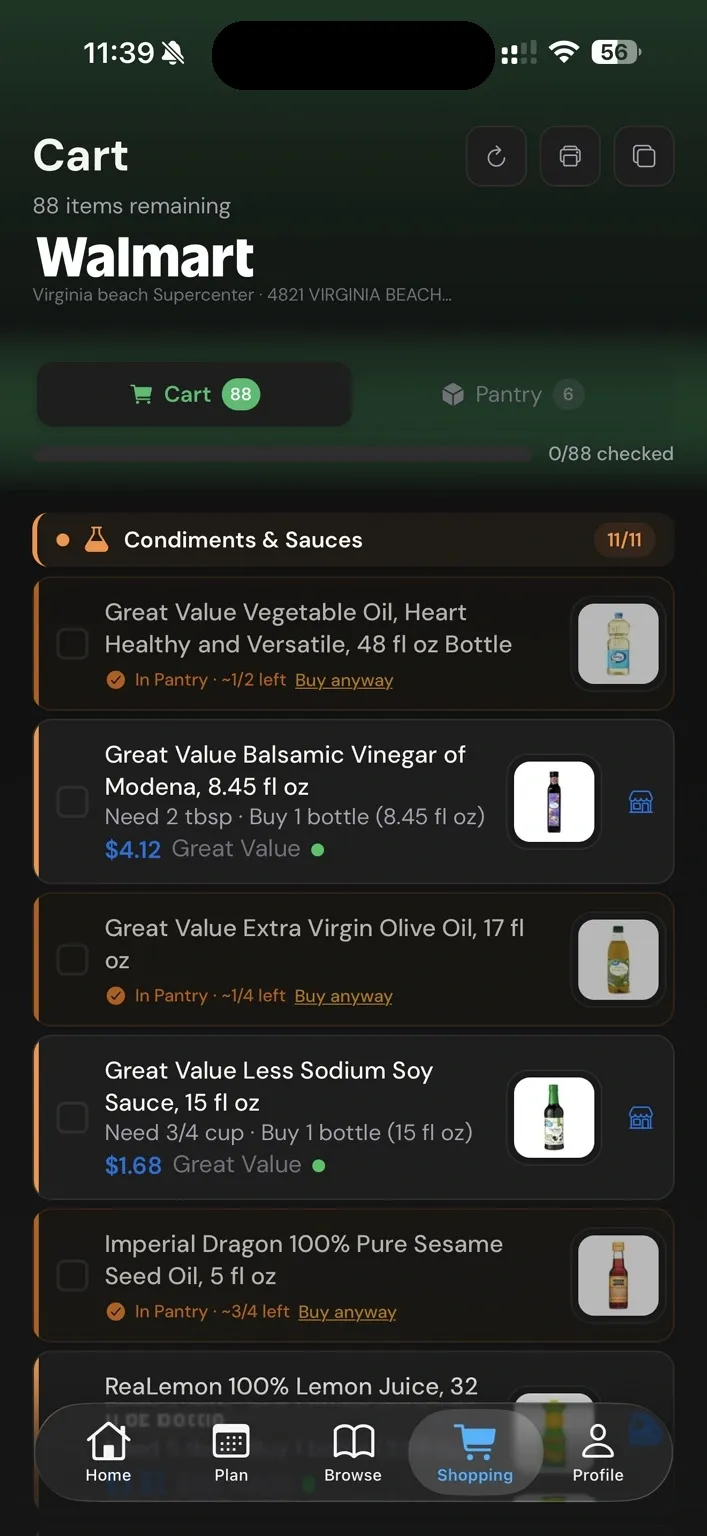
A grocery list is not a cart.
Ingredient lists are easy to generate. Grocery carts are harder: the shopper needs real products, real packages, real quantities, and a clear review state at the store they actually use.
Zenx checks the product family, form, package, and quantity before treating a row as ready to review.
An honest gap is safer than a confident wrong product hiding inside the cart.
How Zenx checks the cart
Cart trust lives in the grocery details.
Zenx is built to check the practical decisions that make a weekly cart feel trustworthy instead of just plausible.
Chicken should be chicken. Cheese should be cheese. The cart has to stay in the right lane.
Fresh, canned, shredded, sliced, raw, cooked, plain, and flavored can mean very different meals.
Shoppers buy bags, bottles, cans, bunches, jars, cartons, and packs, not abstract recipe math.
The selected package should cover what the week actually needs without quiet underbuying.
A match only helps if it makes sense for the selected shopping flow and supported retailer data.
When Zenx cannot trust a match, the safer move is to show a review gap instead of hiding risk.
Safe alternatives
Safe alternatives, not random swaps.
Zenx is being built to suggest alternatives only when the product family, form, package size, and store fit make sense. Not every item should be swappable. The goal is fewer wrong-cart surprises, not blind automation.
Same family
An alternative should solve the same ingredient job, not merely share a similar word.
Same form
Fresh stays fresh, shredded stays shredded, plain stays plain, unless the recipe can truly support the change.
Review gap
If the cart cannot support the recipe intent, Zenx should show what needs attention.
Explore Zenx
Explore the cart-trust layer from different angles.
Use these pages to see how Zenx connects meal planning, recipe-to-cart, Smart Pantry, and supported store flows without turning the homepage into a wall of copy.
Cart Trust EngineSee the store-aware engine behind reviewable grocery rows.
Recipe-to-cartSee how meals become reviewable grocery rows.
Cart trustHow Zenx thinks about product family, form, quantity, and review.
Smart PantryPlan around what you already have at home.
Walmart meal plannerPlan around Walmart grocery flows where supported.
Kroger meal plannerStore-checked planning for Kroger-family flows.
Compare ZenxSee how Zenx differs from meal planners and list apps.
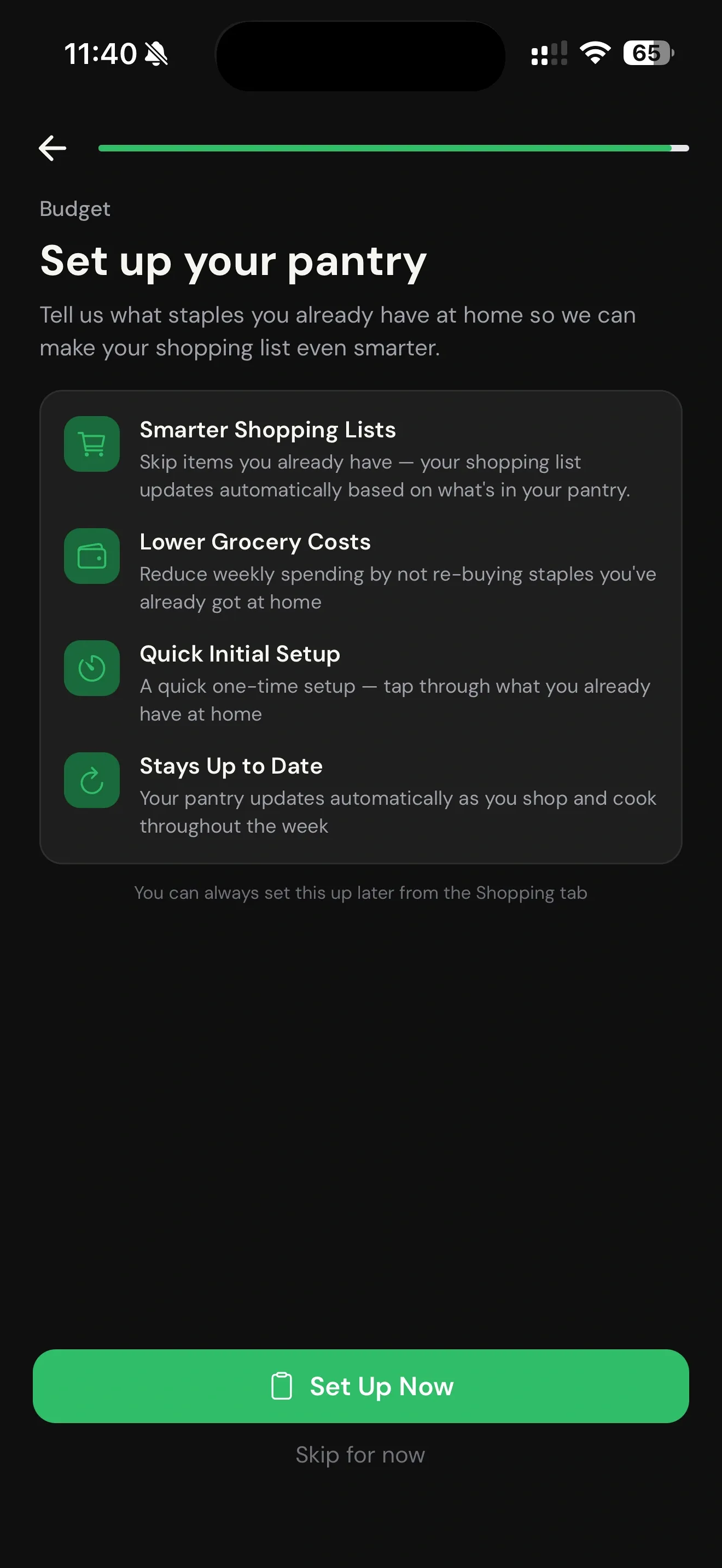
Smart Pantry
Plan around what’s already in your kitchen.
Tell Zenx which staples you usually keep on hand, and your weekly plan can stop pretending every shopping trip starts with an empty pantry.
Fewer duplicate buys
Pantry-aware planning helps keep common staples from showing up like brand-new purchases every week.
More realistic budgets
Budget planning gets cleaner when your list accounts for ingredients you may already have.
A smarter next week
Ingredient reuse and pantry context help future meal plans feel less scattered.
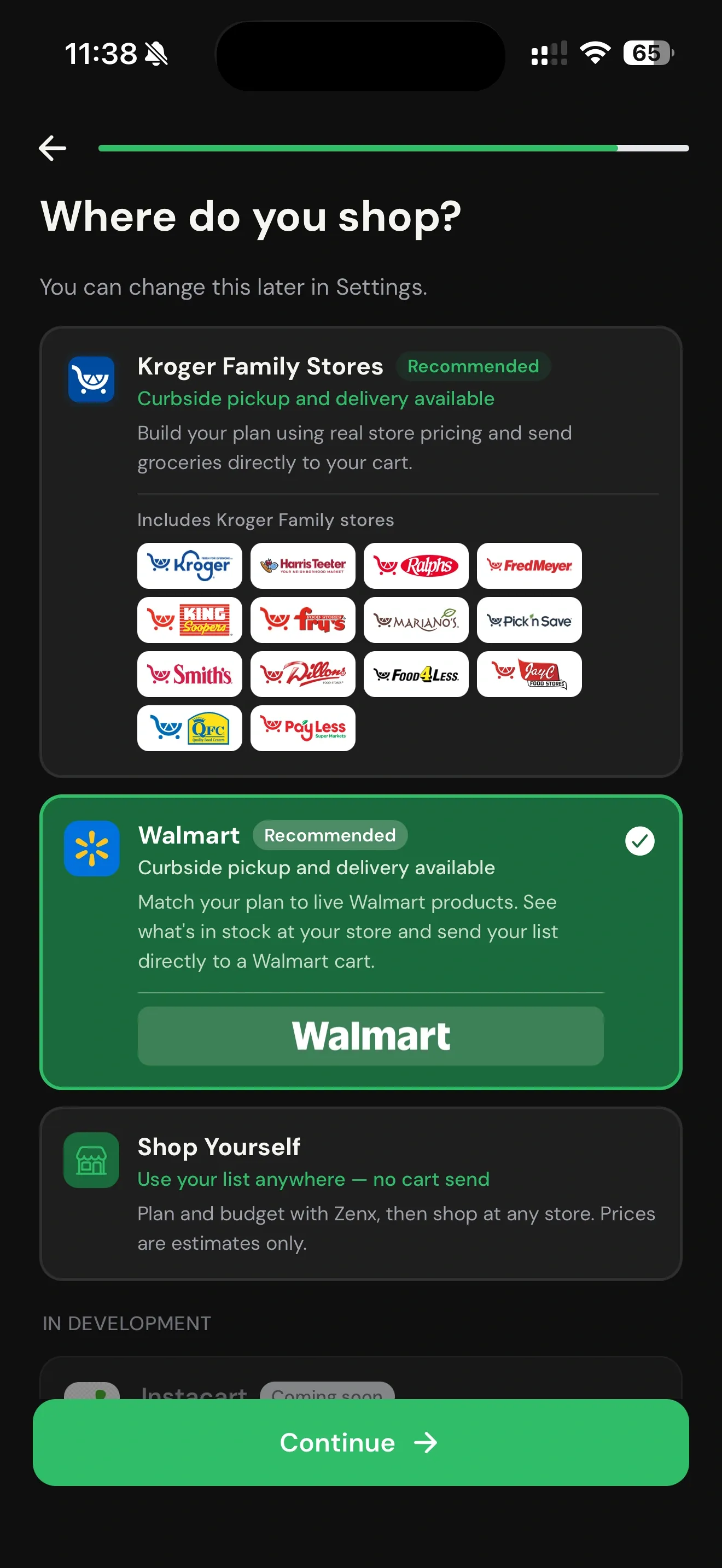
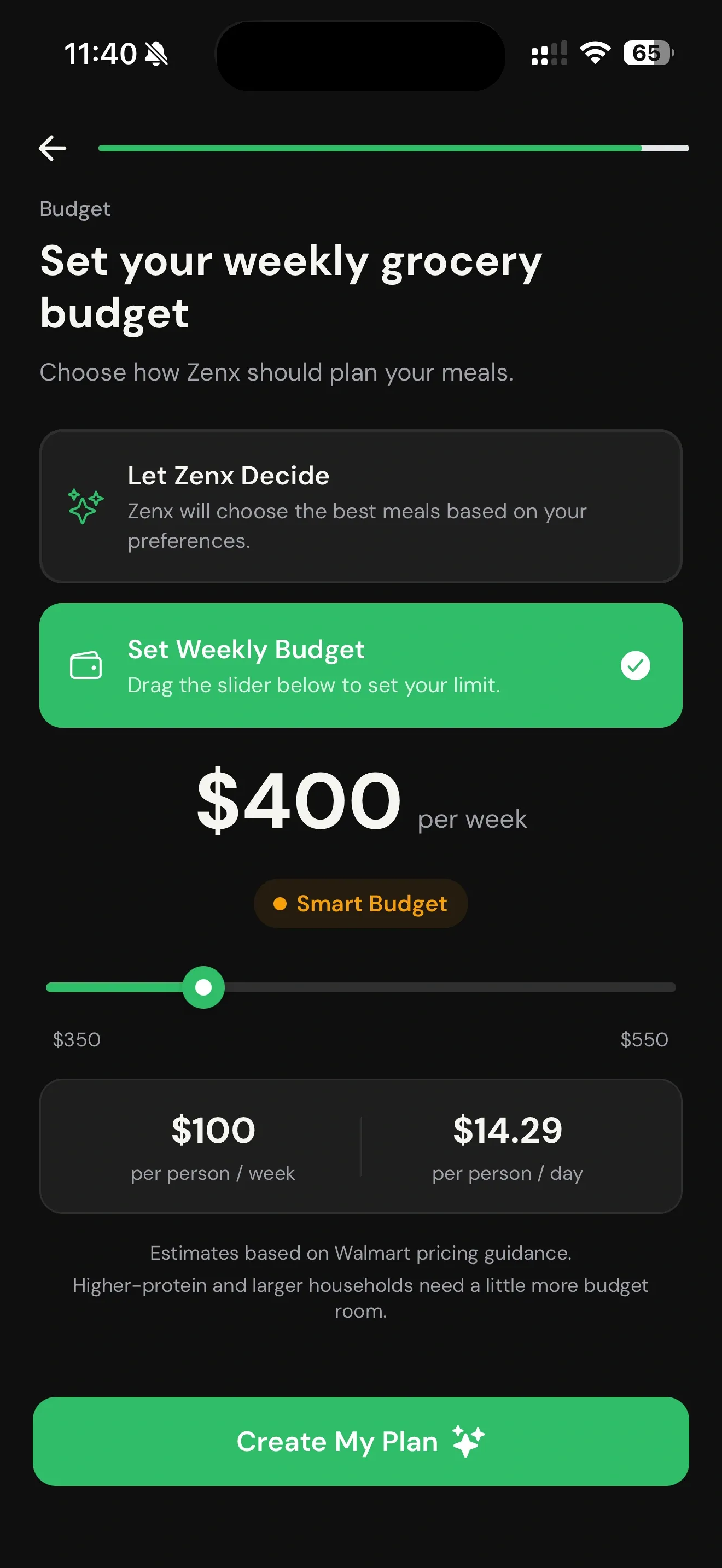
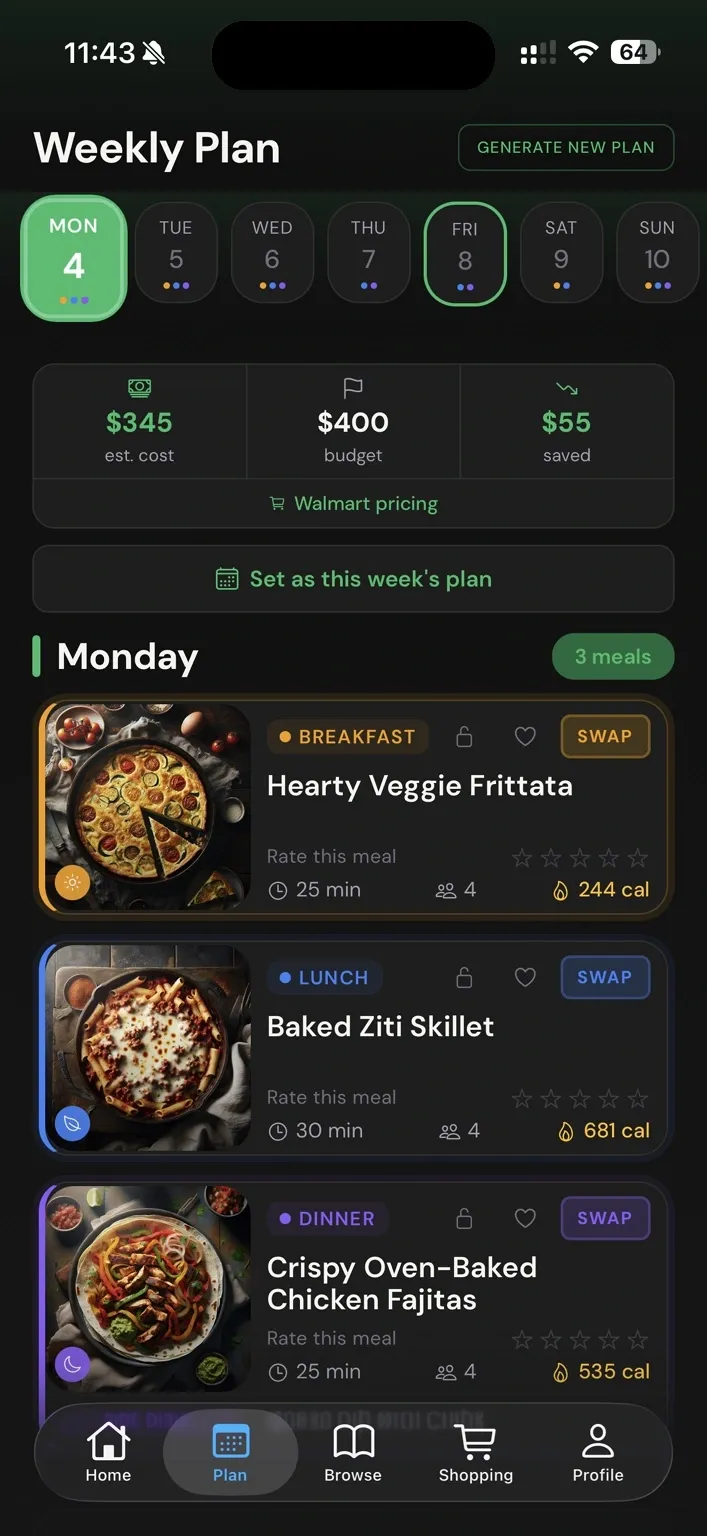
Walmart mode flow
From week plan to matched products to real cart rows.
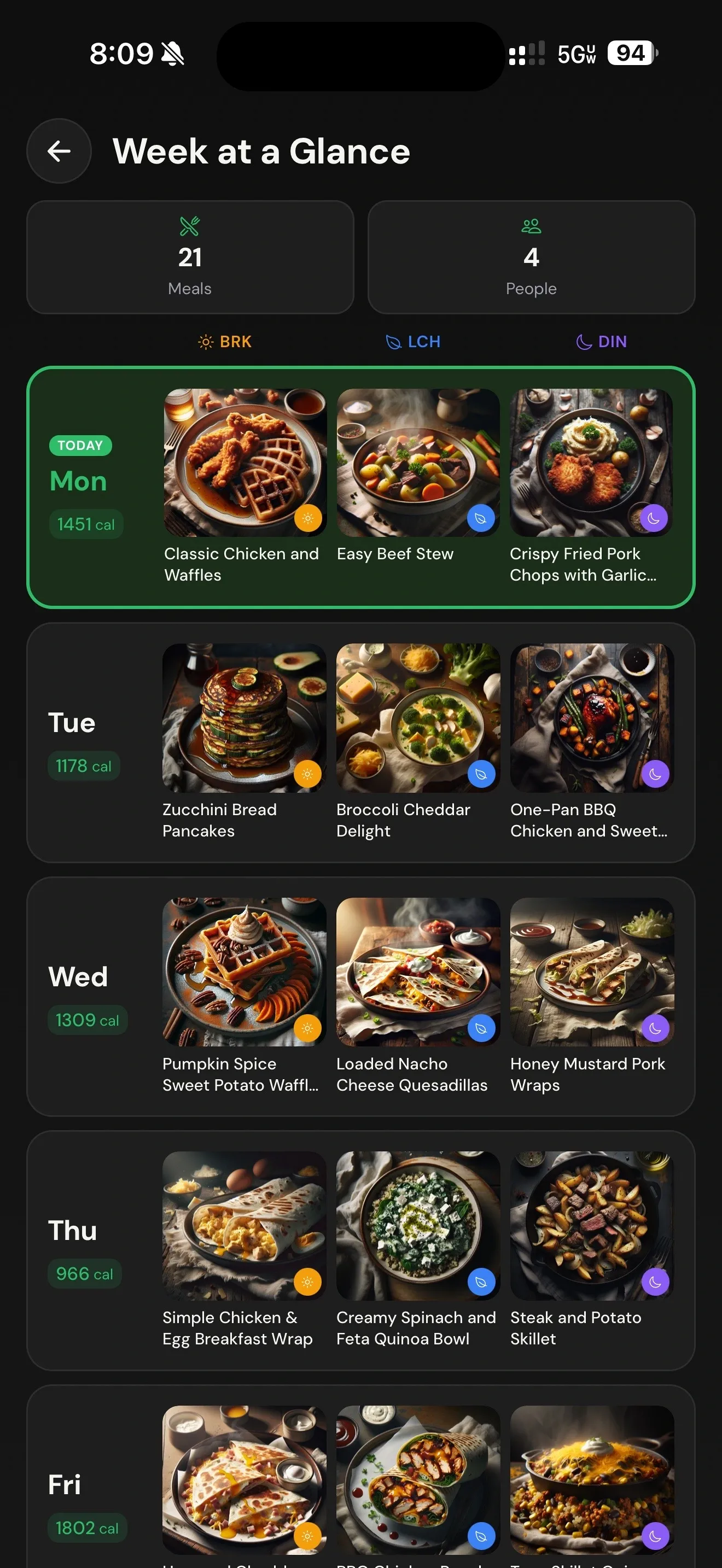
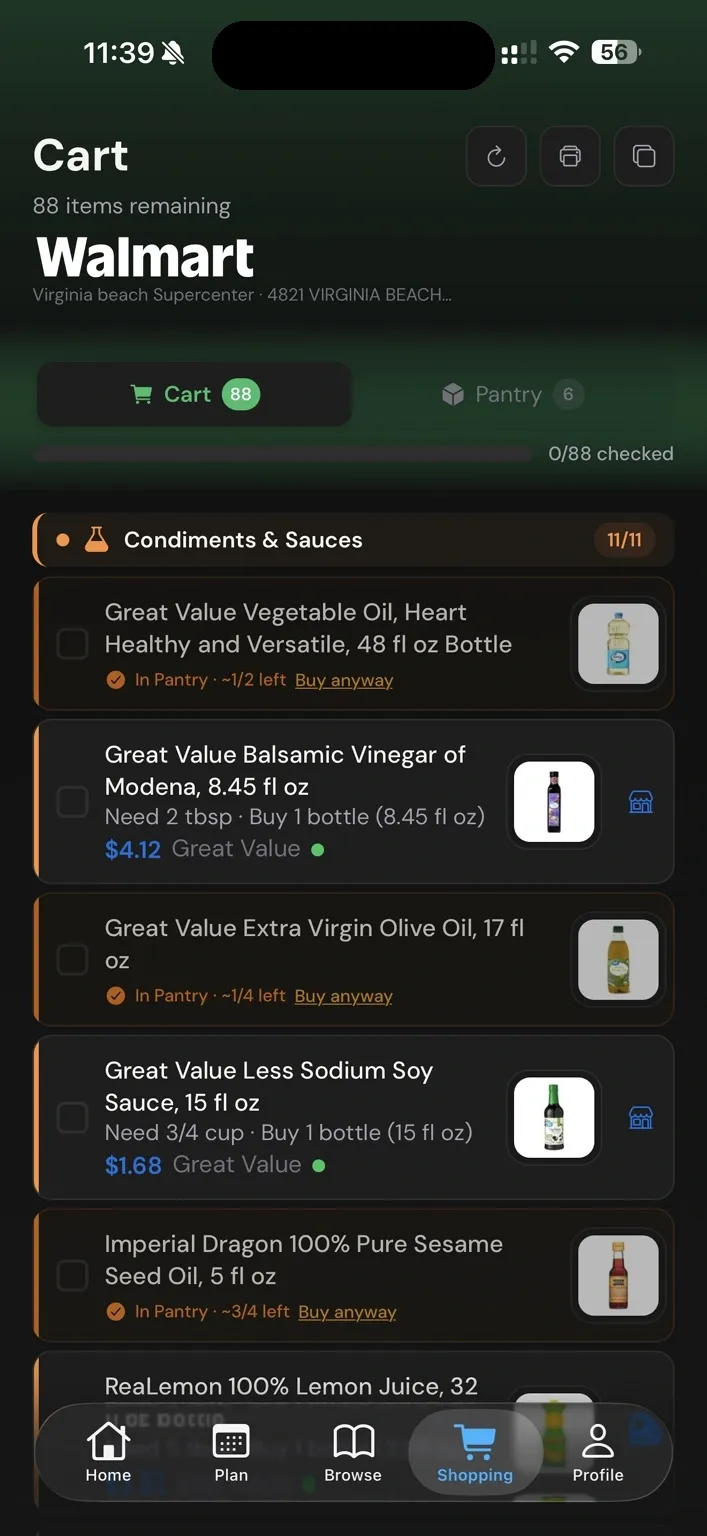
These screens show the parts that matter: the week at a glance, ingredients matched to Walmart products, and a cart list that feels ready to review.
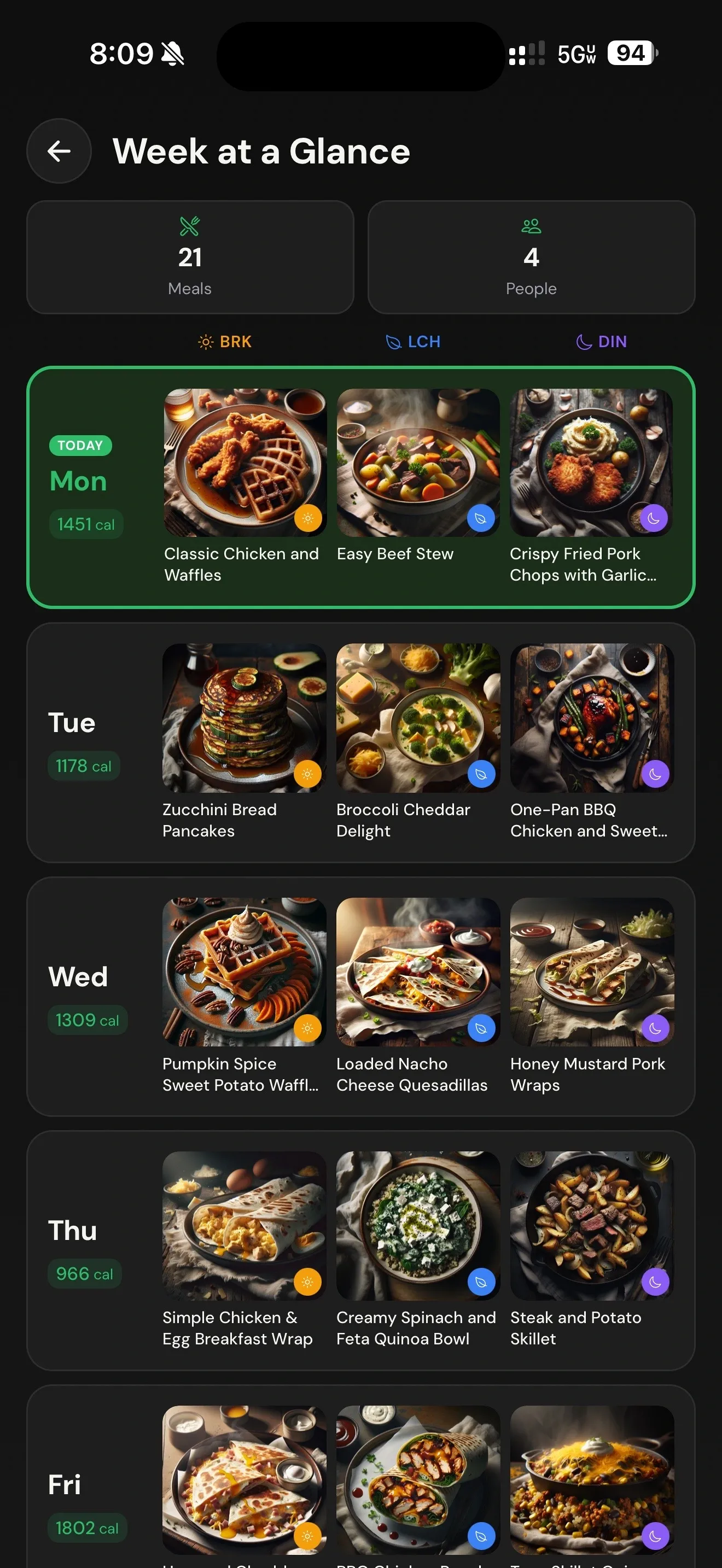
Week at a glance
21 meals organized by day, meal type, household size, and calories.
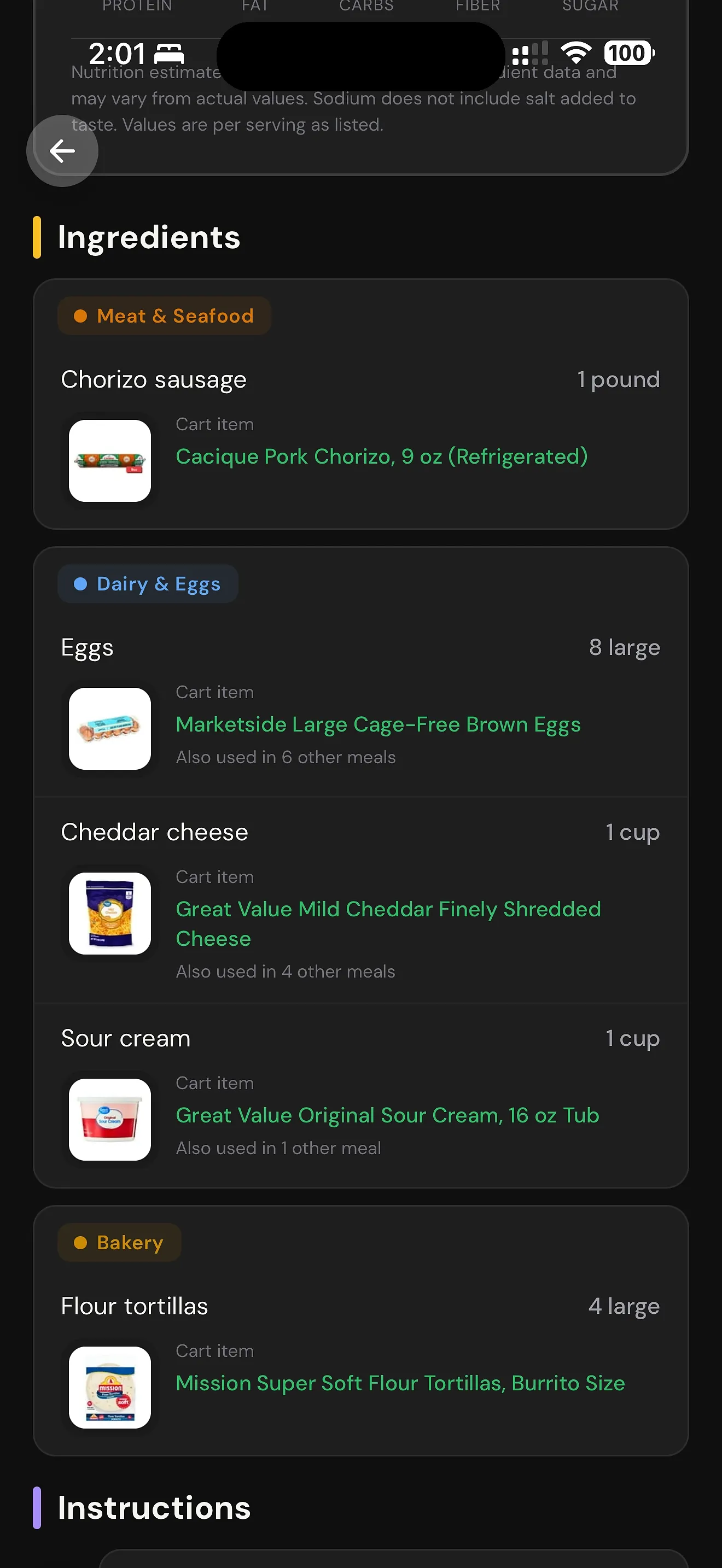
Ingredients matched
Recipe ingredients connect to real grocery products where supported.
Reviewable rows
Review Need / Buy wording, prices, product rows, and store context before retailer handoff.
How Zenx builds the cart
From meal plan to reviewable grocery rows.
Zenx does not stop at a recipe list. It checks the selected store, matches ingredients to real products where supported, groups repeated items, and prepares a cart flow the shopper can review.

Checks item intentZenx looks for the right product family and form, not just matching words.
Builds cleaner rowsRepeated ingredients are grouped so the list feels shopper-natural.
Review before sendUsers stay in control before anything moves toward a retailer cart.
See Zenx in motion
Watch store-checked planning become reviewable grocery rows.
See the flow from selected store to weekly plan, matched products, and review before retailer handoff.
Supported shopping modes
Built around the stores families actually order from.
Zenx is not trying to be a generic recipe board. It is designed for real weekly grocery routines, including pickup, delivery, and self-shop lists.

Walmart meal planning
Build your plan around Walmart grocery flows where supported, then review grocery rows before retailer handoff.

Kroger Family Stores
Build your plan around Kroger-family products, prices, and reviewable grocery shopping.

Harris Teeter shoppers
Build weekly meals around Harris Teeter products, prices, and reviewable grocery shopping.
Cart trust
Review before anything goes to cart.
Review your matched products before sending anything to a retailer cart. Zenx helps prepare the cart flow, but you stay in control before retailer handoff.
Availability truth
Store data can change.
Store availability, pricing, and fulfillment can change. Zenx checks supported retailer data when building your plan and preparing your cart.
Where ordinary meal planners fall short
Generic meal planners stop at the list. Zenx checks the cart.
The difference is not more recipe ideas. It is whether the week can become grocery rows a shopper can understand, review, and trust.
Typical meal planner
Recipes and lists
- Generates recipes
- Creates ingredient lists
- Leaves product decisions to the shopper
- Surfaces store problems late
- Often treats a list like the finish line
Zenx
Cart trust before handoff
- Checks store-aware product matches
- Verifies form and package reality
- Surfaces honest gaps
- Builds toward reviewable grocery carts
- Keeps the shopper in control before handoff
The difference: Zenx treats the cart as the trust moment. Meal planning is useful only when the grocery rows behind the week make sense.
In testing
Save outside recipes. Store-check them before cart review.
Bring outside recipes into My Recipes without pretending they are instantly cart-ready. Zenx saves the recipe first, then keeps its trust state honest: new imports start as Unverified until they have been checked against your selected store.
Imported recipes can stay private to you while Zenx cleans ingredient names, preserves recipe intent, scales servings, and prepares reviewable grocery rows for selected-store matching.
Saved ≠ Store-checked
Zenx can save a recipe before it trusts it. Imported recipes start as Unverified until store evidence supports the cart.
- Save outside recipes to My Recipes
- Keep imported recipes private to you
- Start new imports as Unverified
- Store-check ingredients before cart review
- Review warnings before sending anything to cart
Launch list
Join the Zenx pilotWant early Zenx updates?
Join the Zenx pilot and we’ll send launch updates when Zenx is ready for iPhone.
Recipe library
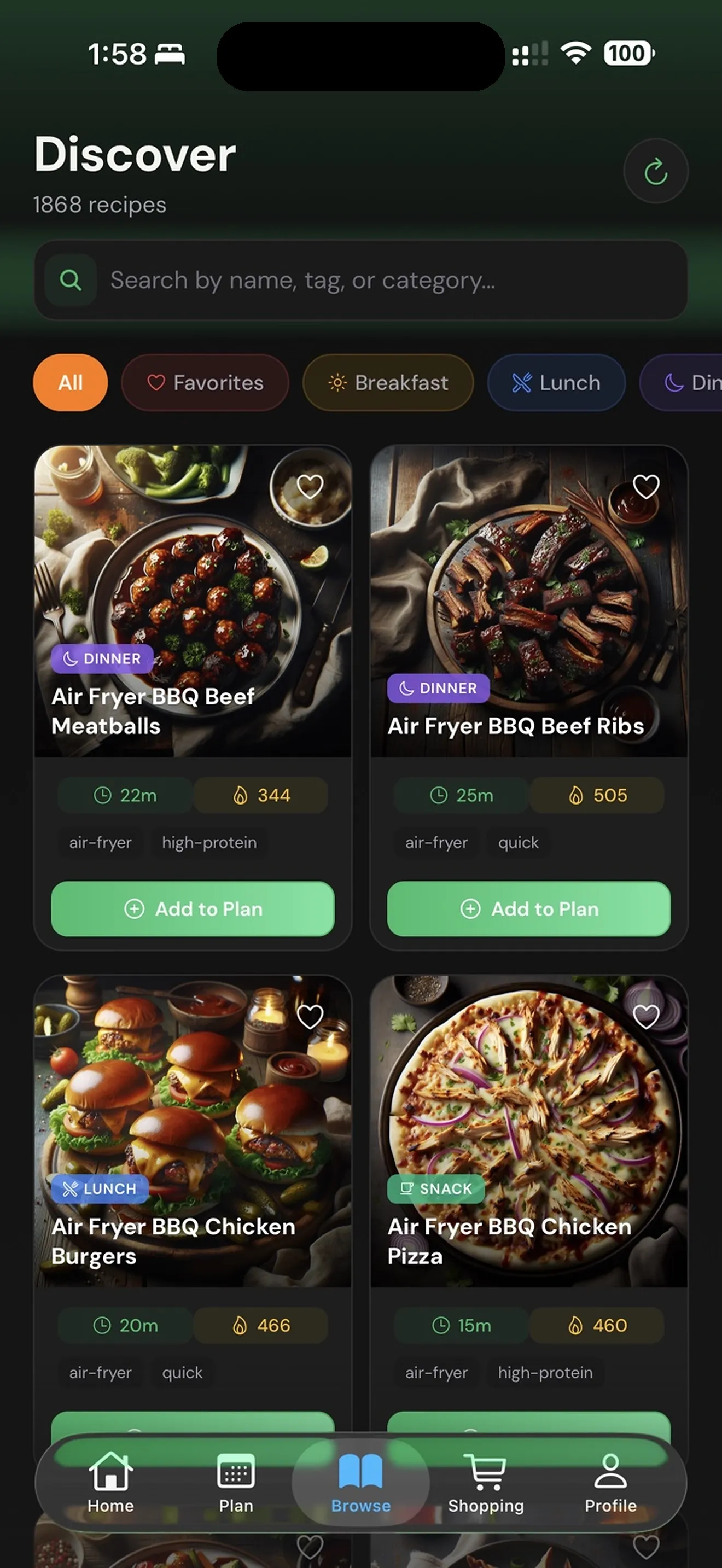
Browse, swap, and keep the week flexible.
🔎
Discover recipesBrowse meal ideas by category, tag, and meal type.
🔁
Swap without starting overAdjust the week while keeping the shopping flow connected.
📊
Nutrition at a glanceSee calories, protein, carbs, fiber, sugar, sodium, and more on recipe pages.